
The New Calendar Invite Scam
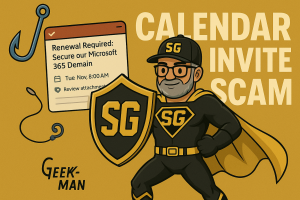
A new phishing scam is making the rounds, and it’s catching people off guard because it doesn’t come in by email. It comes in through your calendar. The scammer sends a fake calendar invite that looks official, often claiming to be from Microsoft 365 or another trusted system.
Because the event appears directly on your calendar, it feels legitimate. That’s exactly why people click.
How the Scam Works
You’ll receive a calendar event with a subject similar to:
- “Renewal Required: Secure Your Microsoft 365 Domain”
- “Account Verification Needed to Prevent Deactivation”
- “Security Alert: Review Attached Report”
The event description includes a link. Clicking the link may:
- Take you to a fake login page to steal your password
- Download malware that compromises your device
Why This Scam Works
- Calendar notifications feel like part of your normal workflow
- They often bypass spam filters
- People trust items already “on their schedule”
Red Flags to Watch For
- Events from senders you don’t recognize
- Pressure words like “urgent” or “immediate action required”
- Any link inside the event description
- Invites that appear on your calendar without your acceptance
If You Receive One
- Do not click any links.
- Delete the event from your calendar.
- If you clicked already, change your Microsoft 365 password right away.
- Make sure Multi-Factor Authentication (MFA) is turned on.
How SpeakGeek Protects You
We help secure your Microsoft 365 accounts, filter malicious messages, lock down login attempts, and protect your devices with real-time monitoring.
If you think you clicked one of these links, don’t wait.
Call or text SpeakGeek PCs:
702-472-8229